PageHawk
Read a thousand documents like one. Opens your whole library of documents at once, so you read and search them like one.


About
A deal room, a case file, a semester of reading: hundreds of documents, and the answer is in three of them. PageHawk opens the whole folder at once, ranks every file against the focus you set, redlines drafts word by word, and answers questions with page citations you can check. Redaction, Bates numbers, and OCR are built in. You stop opening files one at a time and start with the pages that matter.
PageHawk is a document studio for anyone who works through large libraries of files: paralegals, researchers, analysts, and students. It opens PDFs, Word, PowerPoint, Excel, and iWork documents, ranks and organizes an entire folder in one window, and lets you pick up reading exactly where you left off, on a Mac.
Set two or three drafts side by side and PageHawk marks every insertion, deletion, and revision at the word level, with an inline view, a change summary, and exports to Word or PDF. A Draft Timeline compares three or more versions of the same document at once, so you can see how language moved across every draft, not just the last two.
When the work gets formal, PageHawk removes text for good and strips hidden metadata, applies Bates numbering with an audit manifest, and reads scanned pages with OCR so image-only files become searchable. Ask a question about one document or an entire collection and PageHawk answers with page citations you can check.
Why it is different
Every PDF reader is designed to read documents one at a time, in tabs. That's great, but it's not enough. So we created PageHawk: read a thousand documents like one, built for the power of one and the power of your entire library.
Whole-folder triage
Rank, flag, and group an entire folder or data room by relevance to a focus you set, so the documents that matter float to the top of hundreds of others.
Word-level compare
Compare two drafts side by side or inline, with a running list of insertions, deletions, and revisions, then export the redline to Word or PDF.
AI Ask with citations
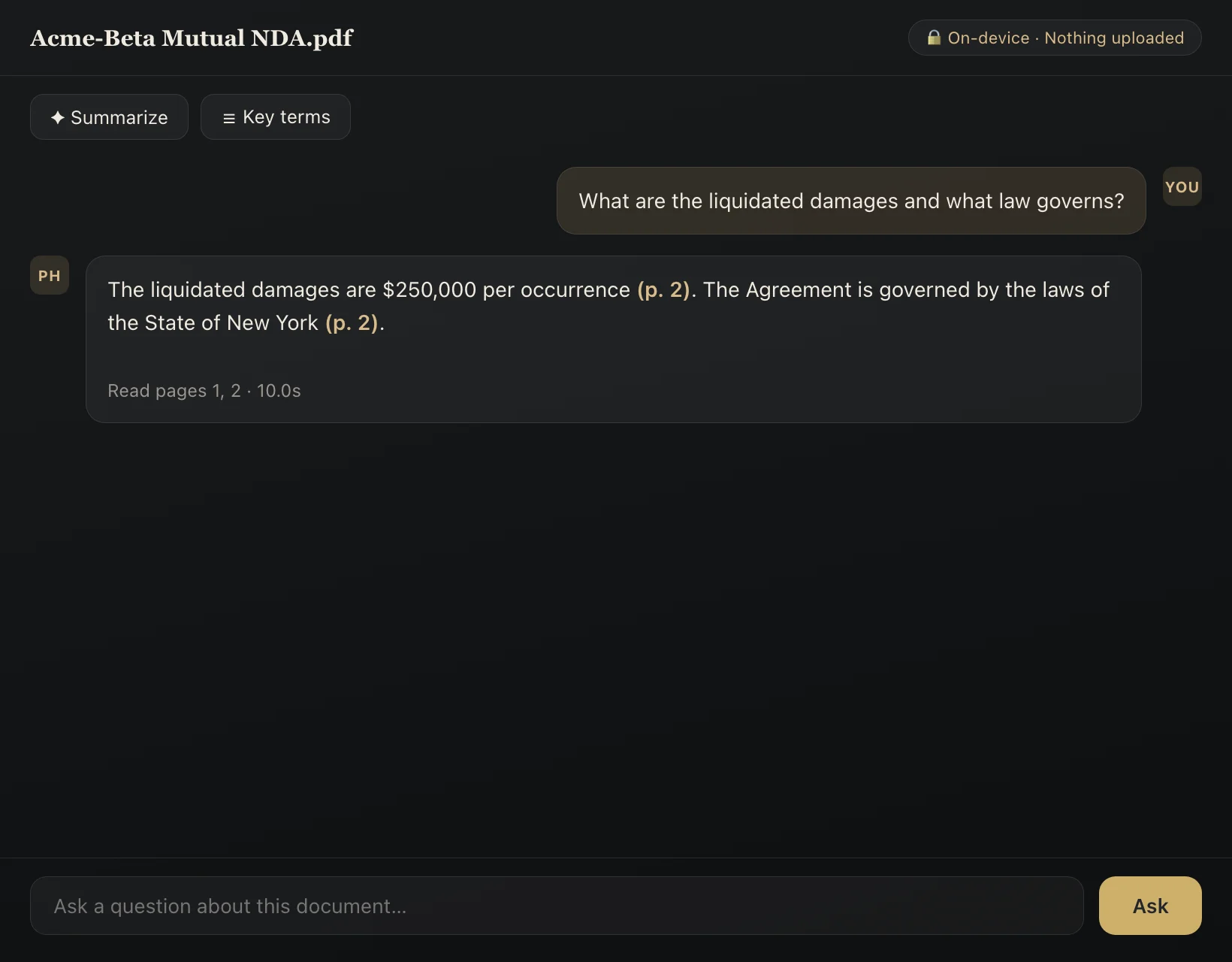
Ask a question about one document or an entire collection and get an answer with page citations, so every claim can be checked against the source.
True redaction and Bates numbering
Remove sensitive text for good, strip hidden author and metadata fields, and stamp a batch of documents with Bates numbers and an audit manifest.
OCR for scans
Recover searchable text from image-only scans, including archival pages, so every document in the folder becomes searchable.