Hush Performance
Sees what is using your CPU and memory, and quietly eases background apps that crowd it.

About
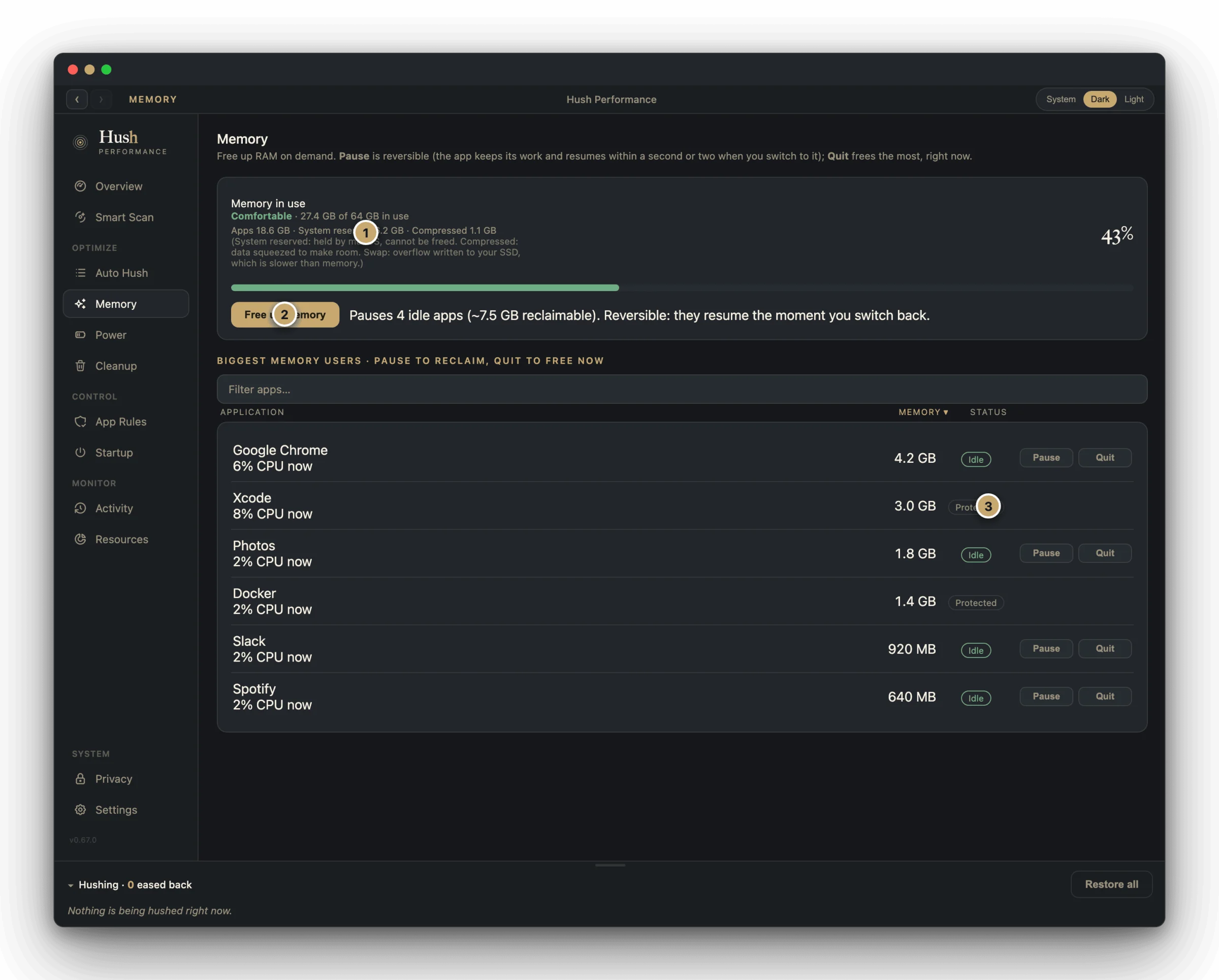
Hush Performance watches your Mac and quietly slows down background apps when they crowd out the one you are using, so your active work stays fast. It leaves the active app alone, and it traces every spike back to the process and app behind it, named in plain English rather than a bare percentage.
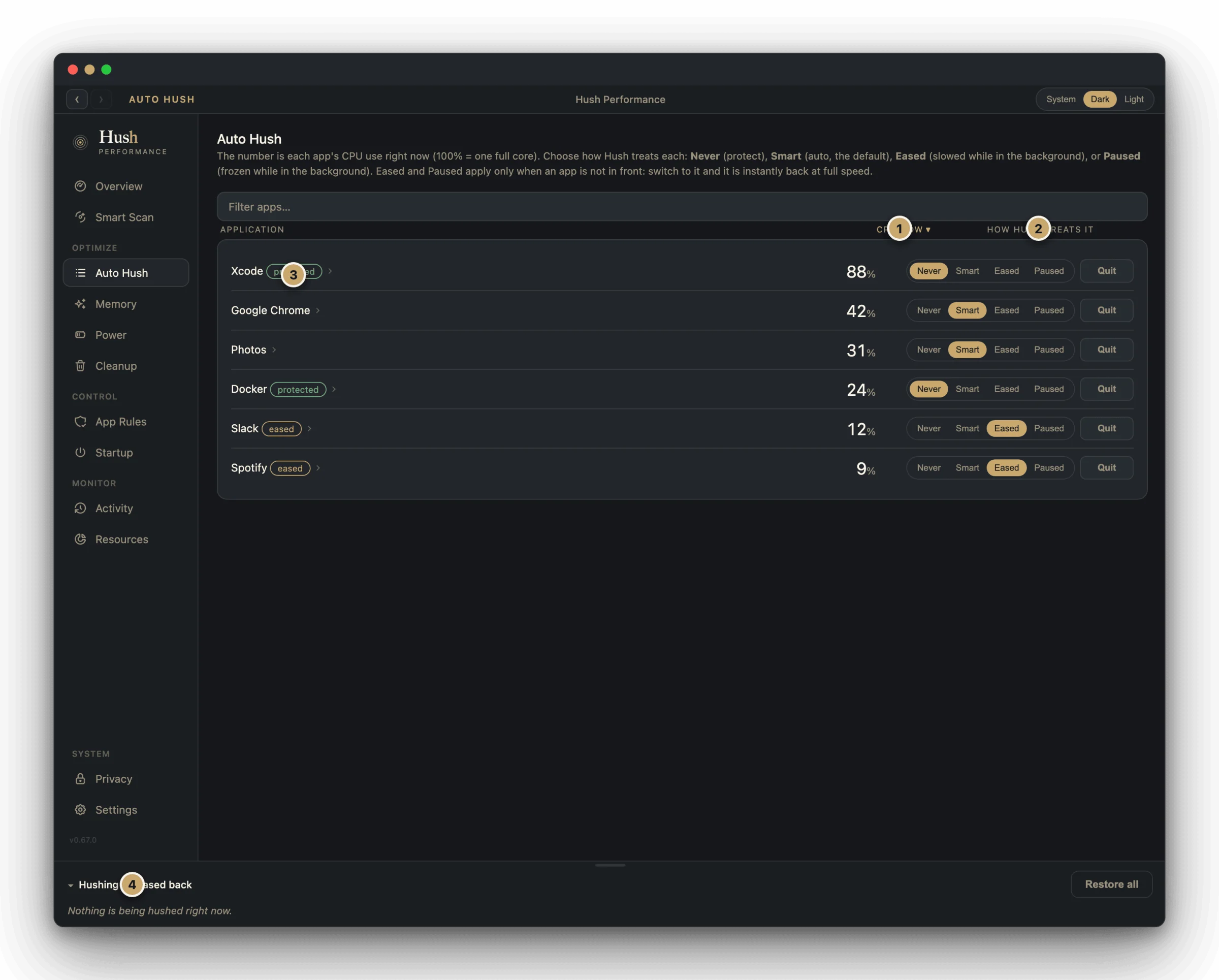
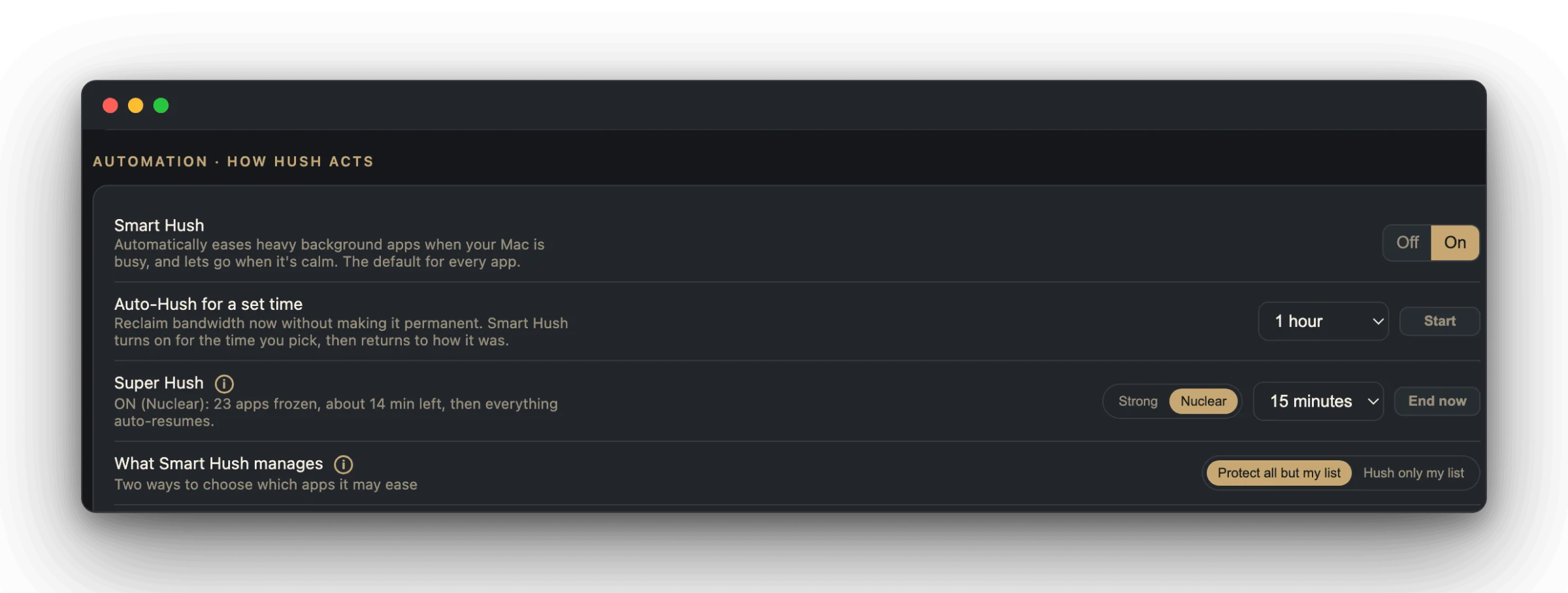
Auto Hush eases heavy background apps automatically when your Mac is under pressure and lets go the moment it is calm again, with Never, Smart, Eased, and Paused controls per app. Super Hush reclaims the whole machine for a set time in Strong or Nuclear mode when you need every core for one job, and everything eased resumes automatically when the window ends.
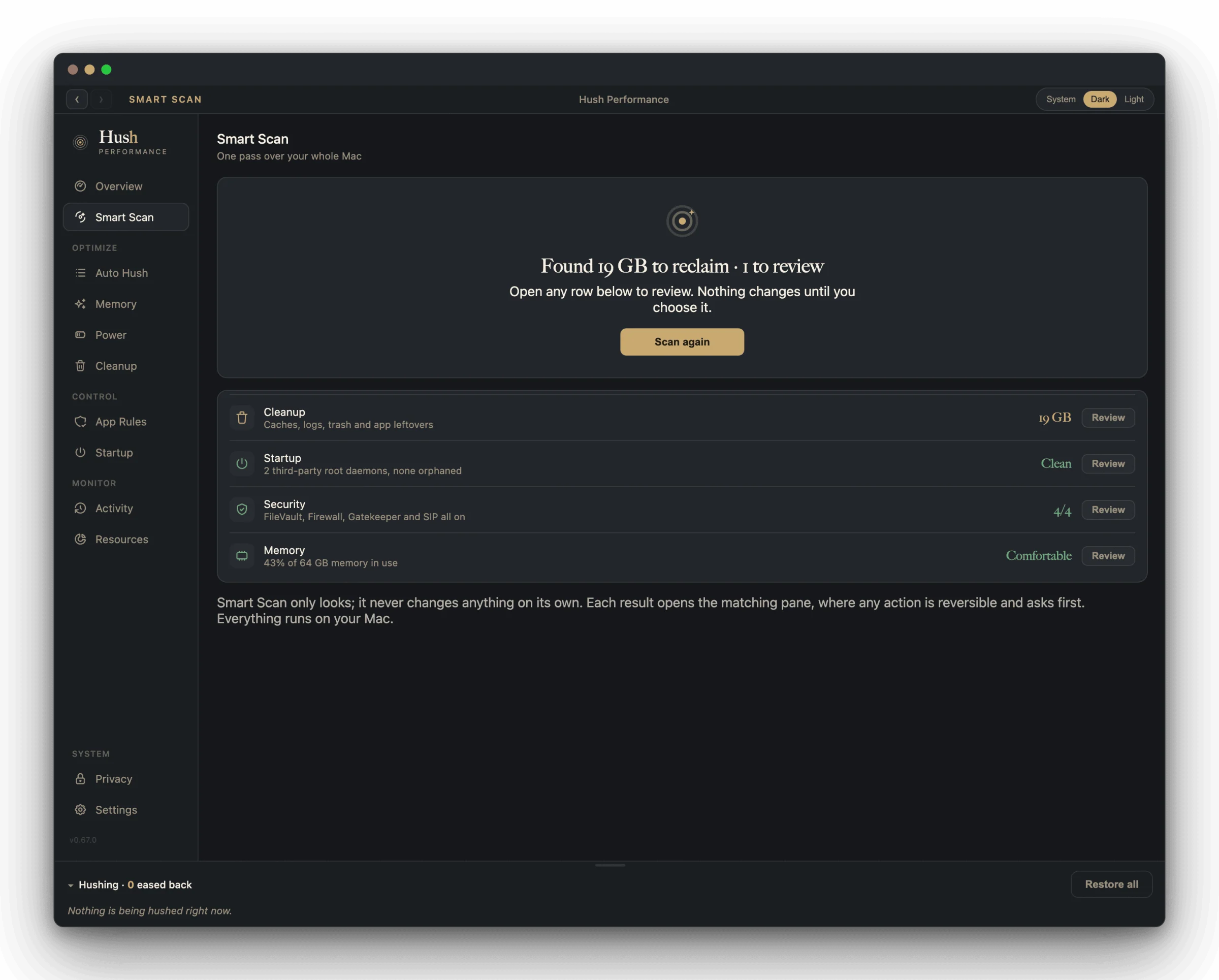
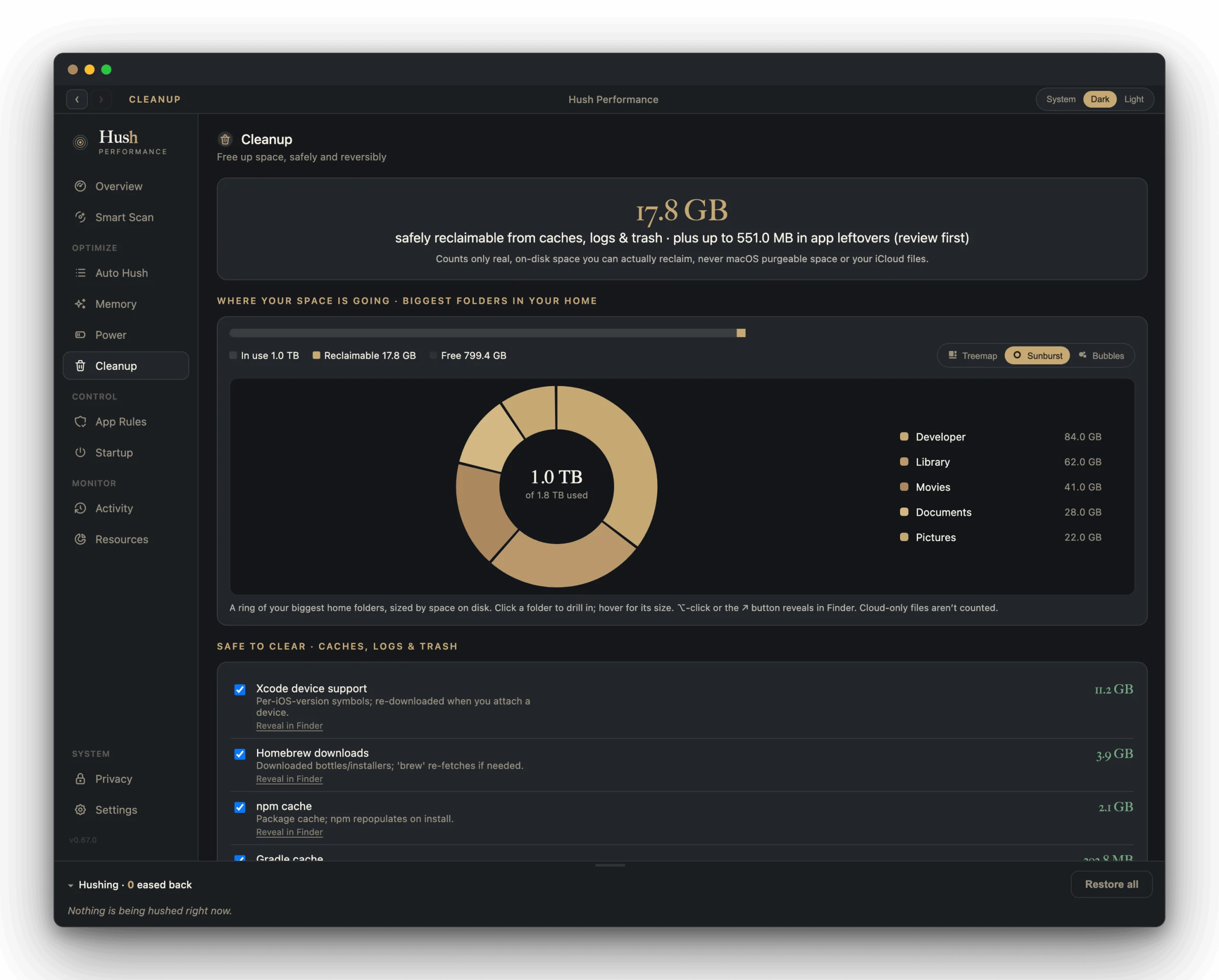
Smart Scan runs one pass over your whole Mac and reports what it found: reclaimable caches and logs, startup daemons, security settings, and memory pressure, each opening the matching pane where nothing changes until you choose it. Cleanup shows exactly where your disk space is going with a folder-by-folder breakdown, and clears caches, logs, trash, and app leftovers reversibly to the Trash.
Auto Hush
Automatically eases heavy background apps when your Mac is busy and lets go when it is calm, the default treatment for every app, with a Gentle, Balanced, or Aggressive strength.
Super Hush
Reclaims the whole machine for a set time, 5 to 60 minutes, in Strong or Nuclear mode, then automatically resumes everything when the window ends.
Process attribution in plain English
Traces a spike back to the app and session behind it, naming individual sessions rather than a single generic process name.
Smart Scan
One pass over your whole Mac covering cleanup, startup, security, and memory, with a result for each that opens the matching pane to review before anything changes.
Cleanup
Shows where your disk space is going folder by folder and clears caches, logs, trash, app leftovers, and old installers, reversibly, to the Trash.
Per-app treatment and Stay Awake
Set Never, Smart, Eased, or Paused for any individual app, and keep your Mac awake on battery during a long job until a battery level you choose.