Fortuity Steps
Give yourself credit for every step. One step count you can trust, a goal that fits you, and a streak that forgives.
About
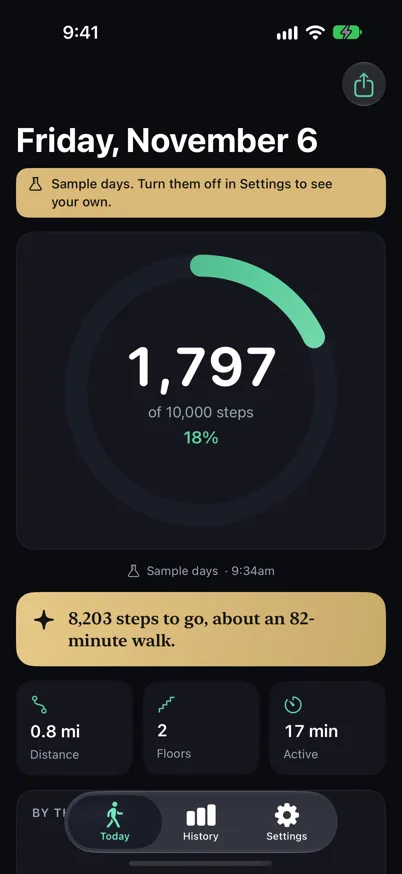
Fortuity Steps shows one daily step count from Apple Health. Steps from your iPhone and your Apple Watch are merged once, and the source and the time of the last update sit right under the ring, so the number you see is the number Health holds.
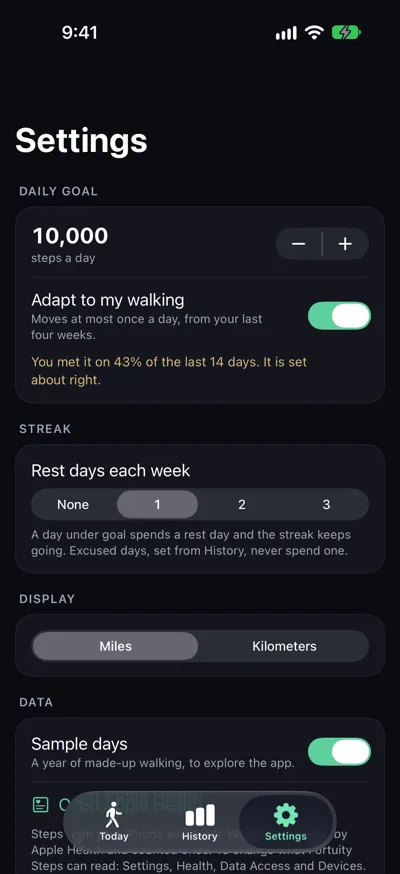
Your streak keeps going through a rest day. Choose zero to three rest days a week, and mark a past day as excused when life got in the way. Your goal follows your walking, moving at most 10% at a time, based on your last four weeks.
Each day has a sentence that says what it means, such as the steps left to go as minutes of walking. Apple's on-device model can reword it warmly, and a check keeps any rewording that drops a number from ever showing.
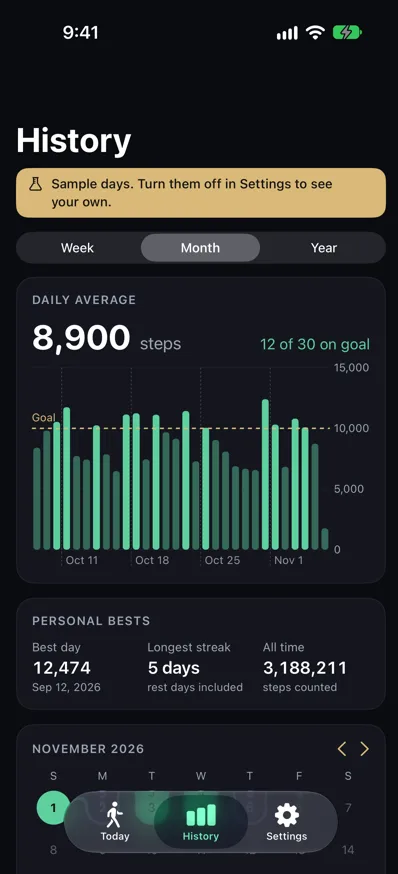
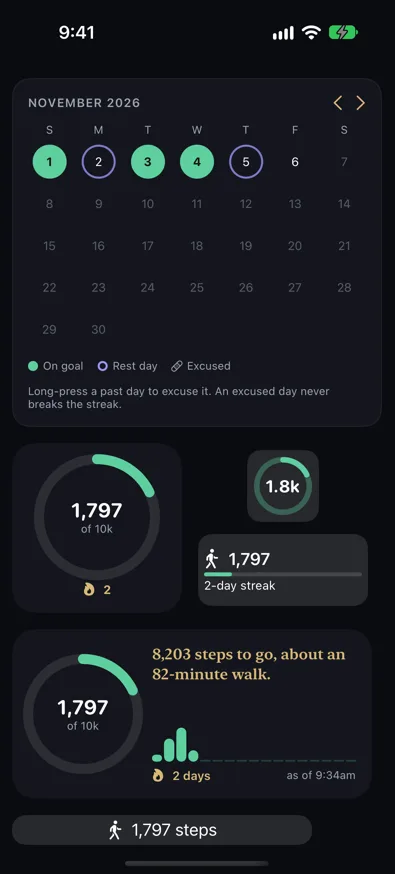
Home Screen and Lock Screen widgets show your ring and streak with an as-of time. History reads from Apple Health, with week, month, and year charts and a calendar of goal, rest, and excused days.
One count you can trust
Apple Health steps from iPhone and Apple Watch are counted once. The source and the time of the last update show under the ring.
A streak that forgives
Pick zero to three rest days each week. A day under goal spends a rest day and the streak keeps going, and an excused day never breaks it.
A goal that fits your life
Fortuity Steps suggests a goal from your last four weeks and moves it by at most 10% at a time. You approve each change, or turn on Adapt.
A sentence for today
Each day opens with a short note, such as 8,203 steps to go, about an 82-minute walk. Apple's on-device model can reword it, and any rewording that loses a number is dropped.
Widgets with an as-of time
Small and medium Home Screen widgets and circular, rectangular, and inline Lock Screen widgets each show the time they were last updated.
History from Apple Health
Week, month, and year charts show your goal line and personal bests. A month calendar marks goal, rest, and excused days.